.png?width=166&height=28&name=Houseful%20Logo%20(4).png "Houseful Logo")
We know that there may be periods of time when you are completely unavailable to accept a lead offer text, such as going on vacation. To help with this, we've created a "Snooze" feature. Below are instructions on how to remove yourself from receiving texts during a specified period of time.
1. Log in to your profile at
referrals.houseful.ca
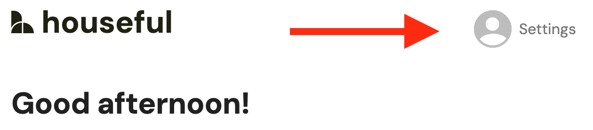
2. Once you've logged in, click on the Settings icon at the top right.
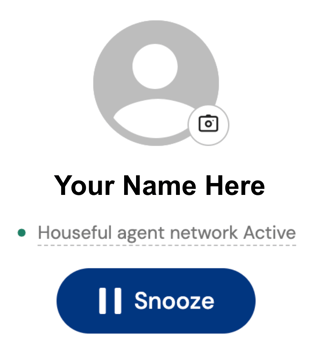
3. You will then see a Snooze button under your name. Click "Snooze," as seen below:
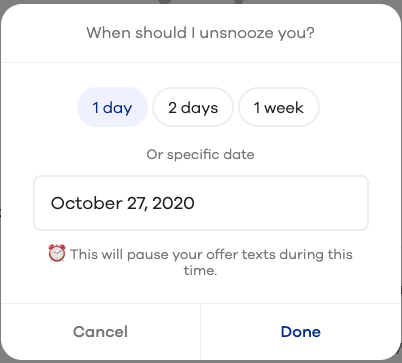
4. Select when the system should automatically unpause you. You have the option to select 1 day, 2 days, 1 week, or a specific date. Once you've selected the appropriate timeframe, hit "Done" on the bottom right:
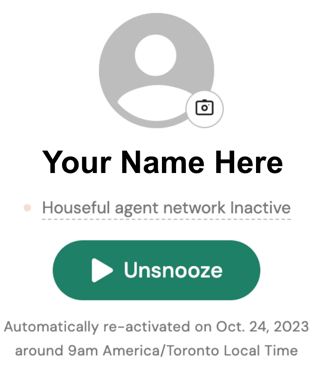
4. You can double-check your current status, view your automatic reactivation date (under the snooze/unsnooze button), or unsnooze yourself all within your profile.